
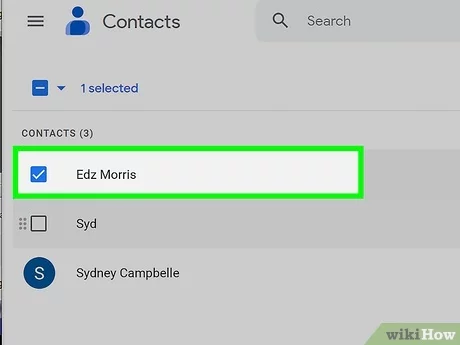
Learn how to remove Gmail contacts from your phone. If you’re looking to clean up your phone’s contact list and get rid of unwanted Gmail contacts, we’ve got you covered. In this article, we’ll walk you through the steps to remove Gmail contacts from both Android and iPhone devices. Dive in and declutter your contacts today!
How to Remove Gmail Contacts from Your Phone: A Tech Guide
To remove Gmail contacts from your phone, follow these steps:
Step 1: Open the Contacts app on your phone.
Step 2: Tap on the menu icon (usually three horizontal lines) in the top-left corner of the screen.
Step 3: Select the “Settings” option from the menu.
Step 4: Look for an account labeled “Google” or “Gmail” and tap on it.
Step 5: In the account settings, you should find a “Sync Contacts” option. Disable or uncheck this option.
Step 6: Confirm the action when prompted to remove the Gmail contacts from your phone.
Step 7: Wait for some time as the contacts are being removed.
Step 8: Once the process is complete, go back to the Contacts app to check if the Gmail contacts have been successfully removed.
By following these steps, you can easily remove Gmail contacts from your phone. Remember to regularly review your contact settings to ensure your device stays synced with the desired contacts.
Frequent Questions
FAQ: How can I remove Gmail contacts from my phone?
To remove Gmail contacts from your phone, open the Contacts app and look for the option to sync or manage accounts. From there, you can untick or disable the syncing of Gmail contacts. This will remove them from your phone’s contact list.
FAQ: Is it possible to delete multiple Gmail contacts at once on a phone?
Yes, it is possible to delete multiple Gmail contacts at once on a phone.
FAQ: What happens if I delete a Gmail contact from my phone, will it also be deleted from my Google account?
No, deleting a Gmail contact from your phone will not delete it from your Google account. The contact will still be accessible through your Google account and other devices connected to it.
In conclusion, removing Gmail contacts from your phone is a straightforward process that can help declutter your contacts list and maintain an organized digital life. By following the simple steps outlined in this article, you can easily manage and streamline your contacts to ensure they reflect your current needs and preferences. Embracing efficient technology solutions like these allows us to harness the true power of our devices while optimizing our digital workflows. So, take control of your contacts today and enjoy a more streamlined and efficient mobile experience.

