
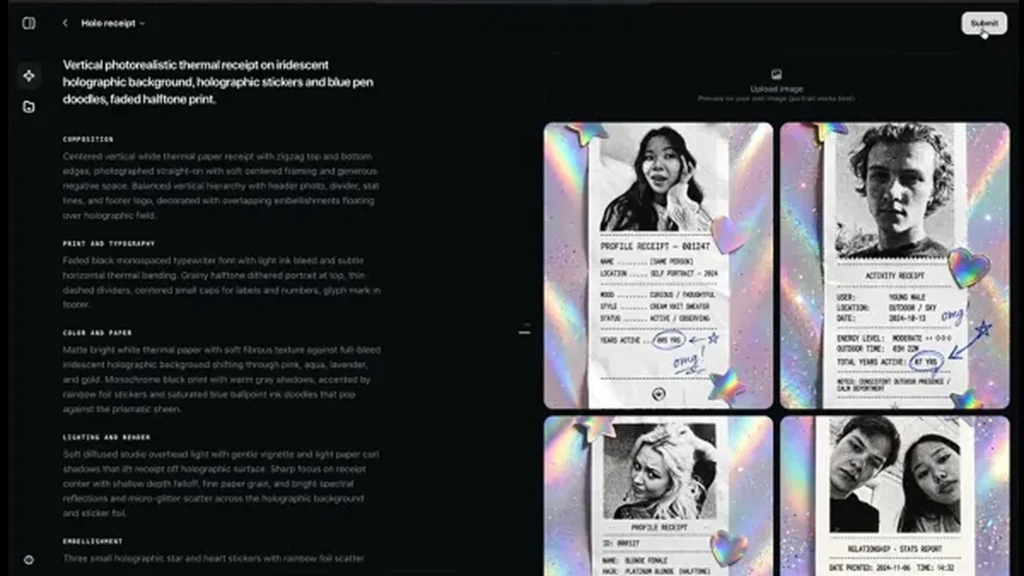
On Monday, November 9, Instagram quietly handed everyone a job that used to belong to specialists. Effect Builder, a new web tool from the team behind the Edits app, turns a typed sentence into a custom effect for Instagram Stories. No design software, no code, no 3D modeling — you describe the look you want, and the tool builds it.
That last part is the real news. Meta shut down Spark, its old effects platform, on January 14, 2025, and since then making an effect for Instagram has been a closed door for anyone outside the company. Effect Builder opens it again, and the price of admission is a prompt. Creating and publishing an effect is free.
First, where it lives: on the web, not in the app
Effect Builder is not a button inside Instagram. It lives at edits.com/effectbuilder, as a web page inside the Edits platform, which is why you will want a desktop browser open when you try it. That placement is no accident: Instagram brought the Edits app to macOS the week before, on November 5, and the web builder is the next step in the same push toward desktop creation.
The distinction matters for anyone hunting through the Instagram app for it. You will not find it there. Open the web page, sign in, and the prompt box is the front door.
How it works: describe it, preview it, push back on it
The workflow is a conversation. You type a description of the look you want into a chat box — say, a warm grainy vintage film, or a bold comic-book look — and the tool generates the effect. If you have a reference image, you can attach it: Meta AI reads its color, light, and texture and uses those as a guide for the style. Then you preview the result on your own photos, right there in the editor, and refine it with follow-up prompts until it looks right.
Instagram product designer Cheechee Lin put the pitch plainly: “We’ve seen how much people love Restyle effects in Stories and how quickly a great effect takes off when it’s easy to try. But until now, building effects required special design and technical skills. Now with Effect Builder, you don’t need design or coding skills, or prior experience making effects.”
There is also an option to let Instagram’s AI rewrite your prompt into something longer and more detailed. More on that in a minute — it does not always do what you would expect.
What you can actually make
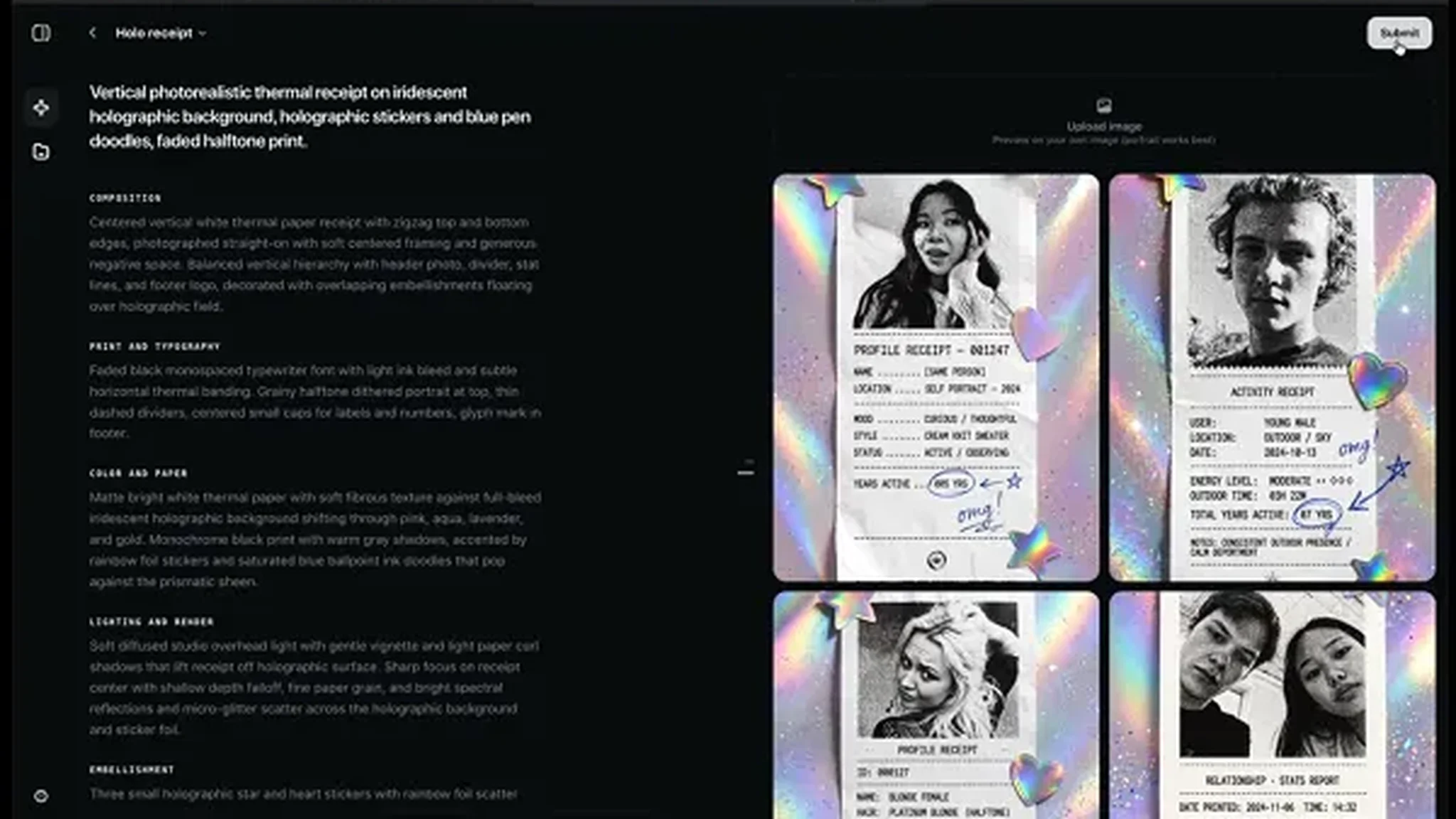
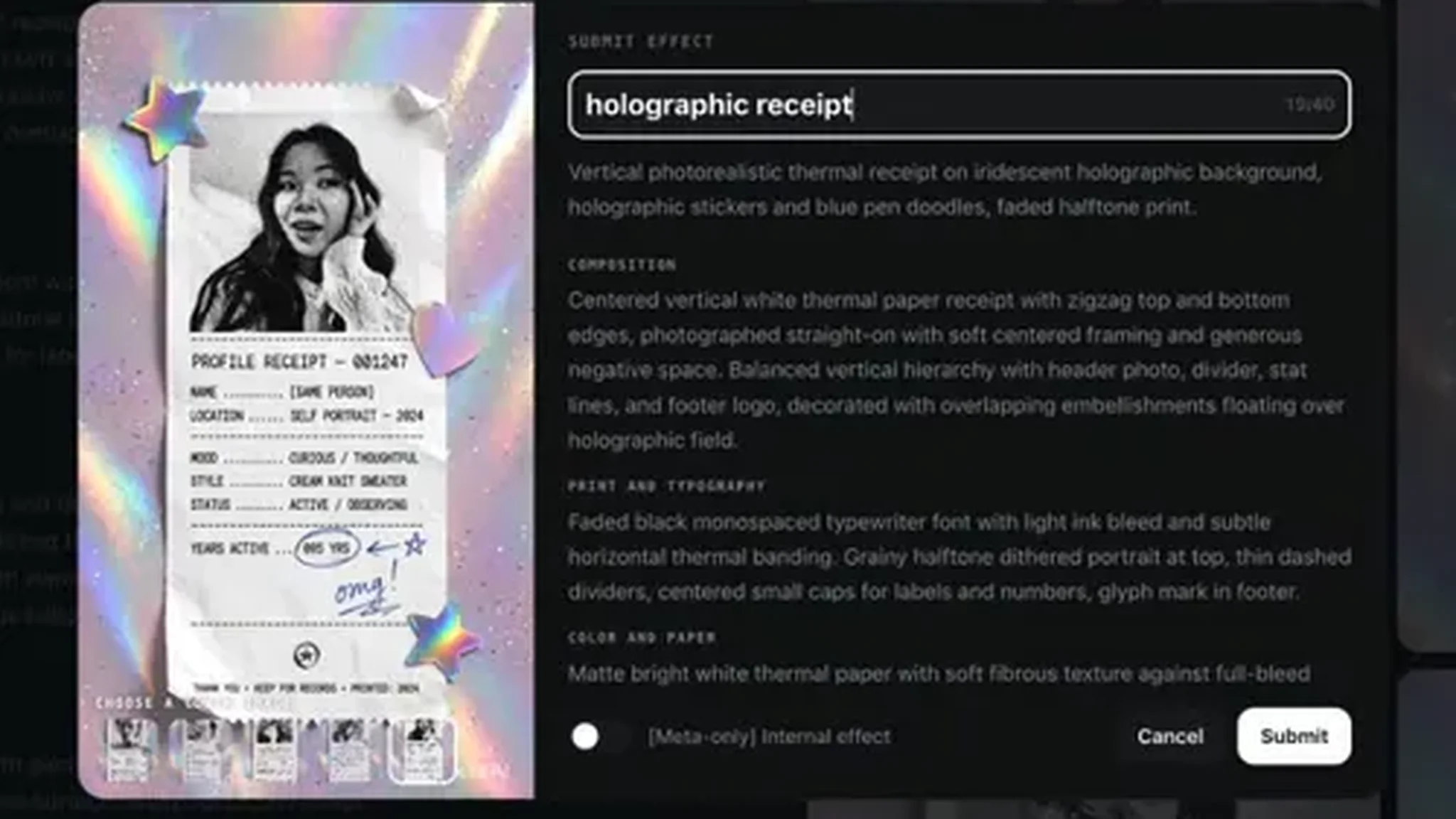
Instagram’s own examples for the launch are three looks: bold comic-book contrast, soft pastel watercolor, and warm grainy vintage film. The screenshots from the announcement show how specific a prompt can get — one test effect, a “holographic receipt,” spells out everything from the halftone print and typewriter font to the holographic star stickers and blue pen doodles, with editable fields for composition, typography, color, lighting, and embellishments.
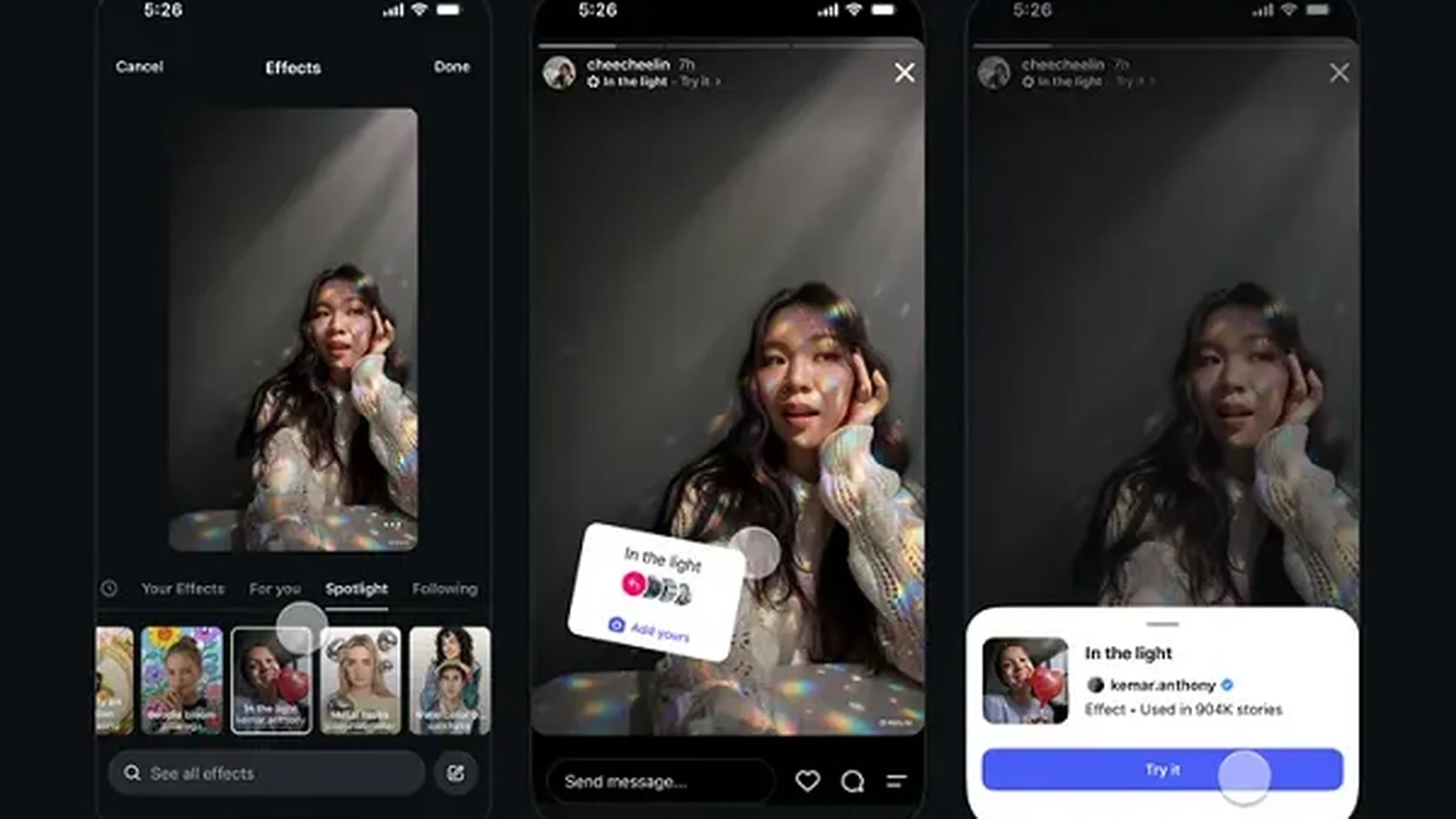
Instagram tested the tool with a handful of creators before launch: @kemar.anthony, who made a light-prism effect; @dave.krugman, who made a film effect; and @karenxcheng, @juliaroga, and @floam.world. The screenshots show @kemar.anthony’s effect, called “in the light,” sitting in the Stories effects browser with a Try it button — and a count of 904K stories made with it. That number is the whole point of the tool: a good effect travels.
Free — but only if you live in the US and you are 18 or older
Here is the catch, and it is a big one for most of the world. At launch, Effect Builder is open only to people who live in the United States and are 18 or older. Instagram has not announced a date for other countries, or for younger users. If you are outside the US, this is a watch-and-wait tool for now, not a today tool.
Within that limit, though, there is no paywall to trip over. Creating an effect costs nothing, and publishing one costs nothing. Instagram has said nothing about a paid tier, and nothing in the announcement suggests one is coming.
Nothing goes live until Meta says so
Submitting an effect is not the same as publishing it. Every effect goes through a Meta safety review before anyone else can use it, and Instagram says that review generally takes under 24 hours. You can track where your submission stands in the Library tab inside Effect Builder.
Once an effect clears review, it shows up in the Instagram Stories effects browser, alongside every other effect. That is the moment it stops being your private experiment and starts being something strangers can find.
Why creators should care: every use points back to you
The part that makes this more than a toy is the credit line. When someone uses your effect in a Story, Instagram links back to your profile, so anyone who likes the look can tap through and find your work. Your effects also live under “My effects,” so you can use your own creation in your own Stories and build a small library around a signature style.
For a creator with a recognizable visual mood — a color palette, a grain, a way of framing a shot — that turns a filter into a calling card. Make the look your audience already associates with you, and every Story that uses it becomes a quiet ad for your profile.
The honest wrinkle: the rewrite that changed almost nothing
The Verge tested Effect Builder on launch day, and its hands-on run surfaced the one blemish worth knowing about. The reporter typed a one-line prompt — “Make a filter that turns photos into comic book pages” — and then let Instagram’s AI rewrite it. The rewrite came back as several paragraphs of detailed instructions on color palette, lighting, and style. The filter it produced looked nearly identical to the one from the short original prompt.
That does not make the tool useless. It does suggest the rewrite button is, at least for now, more theater than upgrade: a short, specific prompt seems to get you about as far as a long, AI-expanded one. Write what you actually want, in plain words, and save the paragraphs.
There are also questions Instagram has not answered yet. Meta has not named the AI model behind Effect Builder, has not said whether effects will carry an AI-generated label, and has not spelled out the safeguards against effects that imitate protected characters or misleading deepfakes. The safety review is the gate, but what exactly it catches is still unclear. Treat those as open questions, not as settled facts.
Frequently asked questions
What is Instagram Effect Builder?
A free web tool from Instagram’s Edits team that turns a written prompt into a custom effect for Instagram Stories. You describe the look, preview it on your own photos, refine it with follow-up prompts, and submit it for review.
Where do I find Effect Builder?
On the web at edits.com/effectbuilder, inside the Edits platform. It is not inside the Instagram app.
Is Effect Builder free?
Yes. Creating and publishing effects costs nothing at launch.
Who can use Effect Builder?
At launch, only people who live in the United States and are 18 or older. Instagram has not announced a date for other countries or younger users.
How long does the safety review take?
Instagram says the review generally takes under 24 hours. You can check the status of a submitted effect in the Library tab inside Effect Builder.
What happens when my effect is approved?
It shows up in the Instagram Stories effects browser for anyone to use, and every use links back to your profile.
Do I need design or coding skills?
No. That is the point of the tool: a written description is enough, and you can attach a style-reference image to guide the look. Before Effect Builder, making an effect meant learning 3D modeling or code — Meta’s old Spark platform shut down on January 14, 2025.
What is the connection to AI Restyle?
Effect Builder extends AI Restyle, the conversational-prompt effects feature Instagram launched in October 2025. In July 2026, Instagram added more than 30 AI effects to Stories with a redesigned effects picker. Effect Builder takes the same idea — describe the look in words — and turns it into effects anyone can publish.